Enabling notification for comments on every post
This is the last part and it’s optional but I recommend it. Enabling this lets you know whenever someone comments on your blog. You get a regular notification on Facebook and you can visit your blog to reply the comment.
- Visit this URL: https://developers.facebook.com/tools/comments/?id=YOUR_APP_ID
- Be sure to replace YOUR_APP_ID with your real application ID
- On the page that opens, click on settings and add yourself as moderator
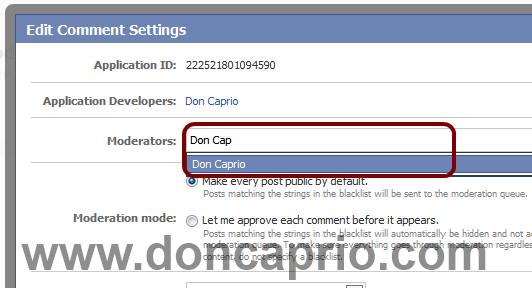
- Click on your name when it shows up and save the changes you made. When someone drops a comment on your blog, you should be notified that instant on Facebook.
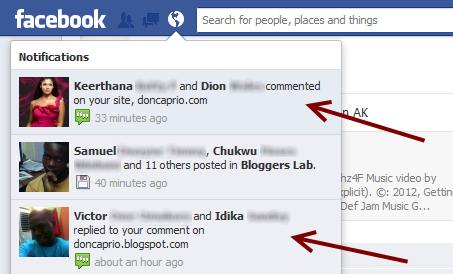
If this works for you, you can say thank you by sharing on Facebook, hitting the Google +1 button or simply using the comment box. Also, it would be nice of you not to remove the credit link to allow others find this useful widget. If you’re having problems implementing this as well, don’t hesitate to let me know maybe I can be of help.


